Formula 1 Data Visualization 2011-2024

PowerPoint
presentation
Data Analysis
Excel
Author

Me,Rachel Hudgins, Aiden Mackay,Connor Gage

Published

December 8, 2025

This post contains a data visualization team project. The dataset consists of all information on the Formula 1 races, drivers, constructors, qualifying, circuits, lap times, pit stops, championships from 2011 till the latest 2024 season.
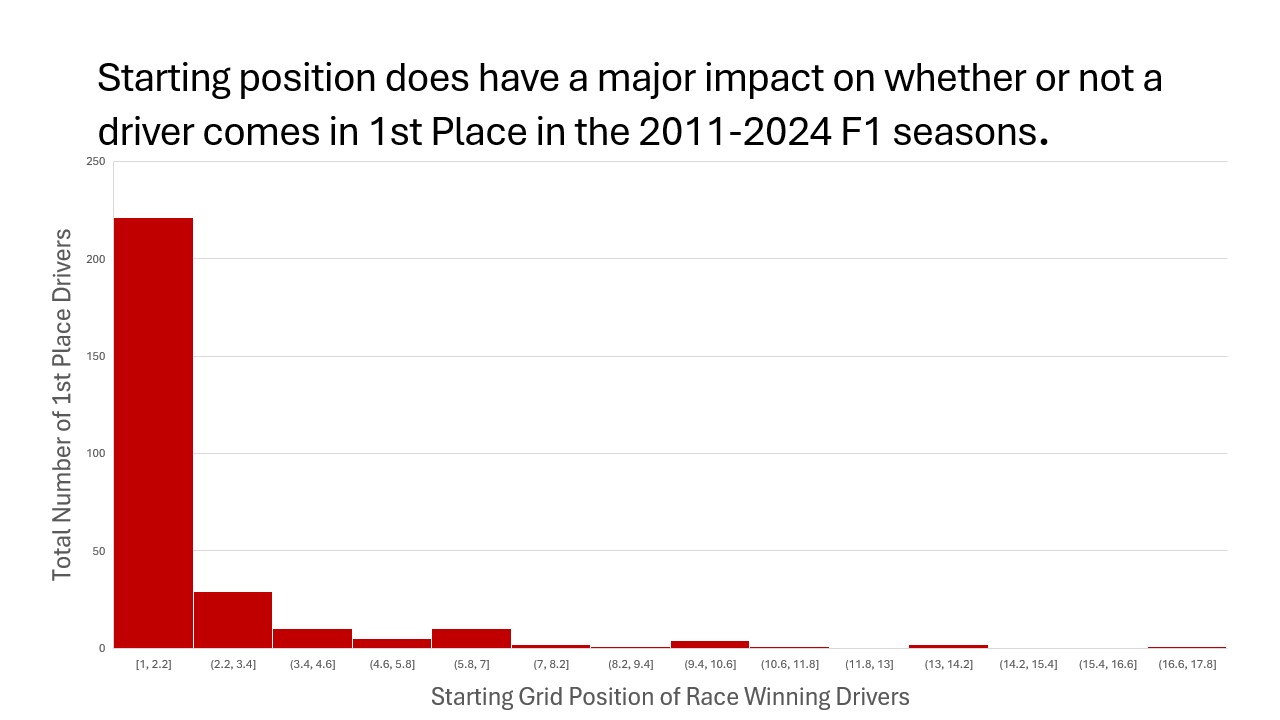
What is the distribution of starting position on the grid of all drivers who won? This question was interesting to us because we wanted to know if starting position has an affect on final position. First deleted all unnecessary data from the excel. The only necessary data needy to show the relationship between starting grid position and performance in the race is the starting grid position and the final position finished in the race. After we only had the important data, we filtered the data so that it was only showing the data from 2011-2024.Then we made the data into a histogram graph. We added axis titles to help the viewers understand what the data was representing. To make the graph more visibly appealing we changed the color of the bars to red and removed the border of the graph to make it look neat. Finally we answered the questing that we had started with

Which constructor (team, essentially) overall has the most wins? This question was interesting to us because we wanted to see which team is running the show at Formula 1. Used the constructor_standings dataset and filtered it down to count only wins from 2011 onwards, and then used a pivot table of that data to see which constructorid was tied to which constructor, then created the bar graph from that. We created the chart by removing chart title and border, making the histogram red, and adding axis titles
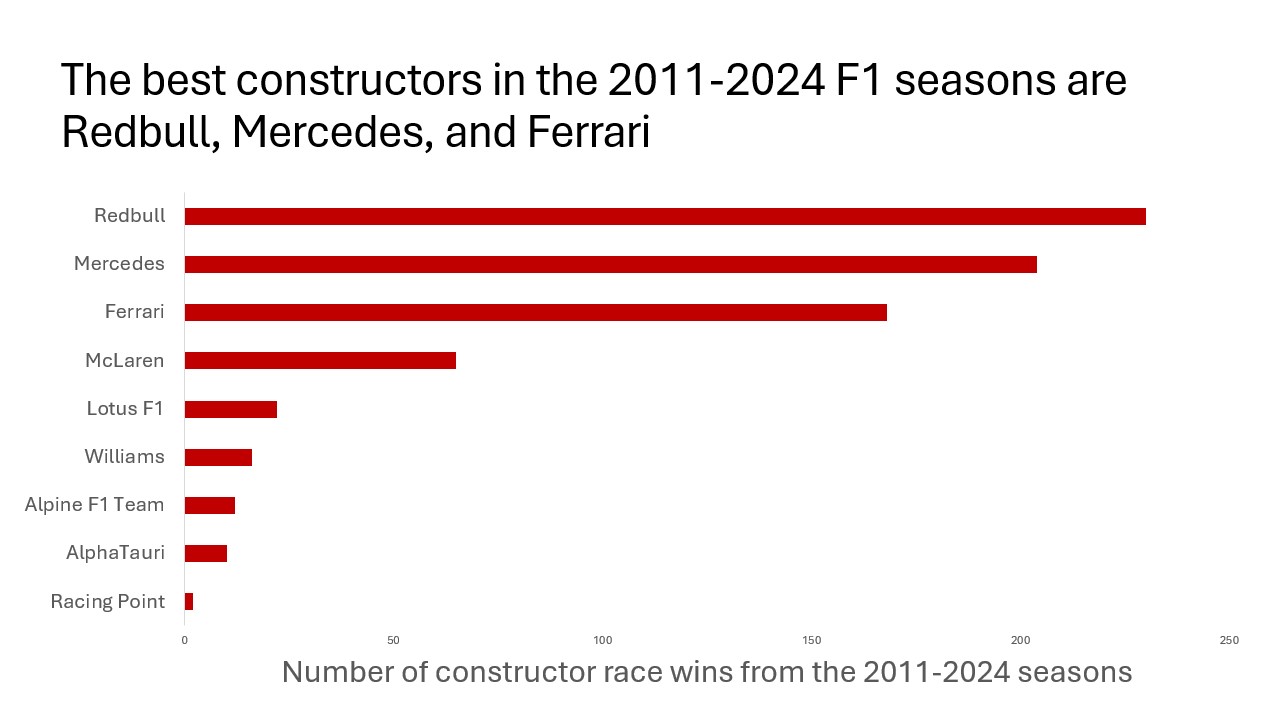
Which constructor (team, essentially) overall has the most wins? This question was interesting to us because we wanted to see which team is running the show at Formula 1. Used the constructor_standings dataset and filtered it down to count only wins from 2011 onwards, and then used a pivot table of that data to see which constructorid was tied to which constructor, then created the bar graph from that. We created the chart by removing chart title and border, making the histogram red, and adding axis titles
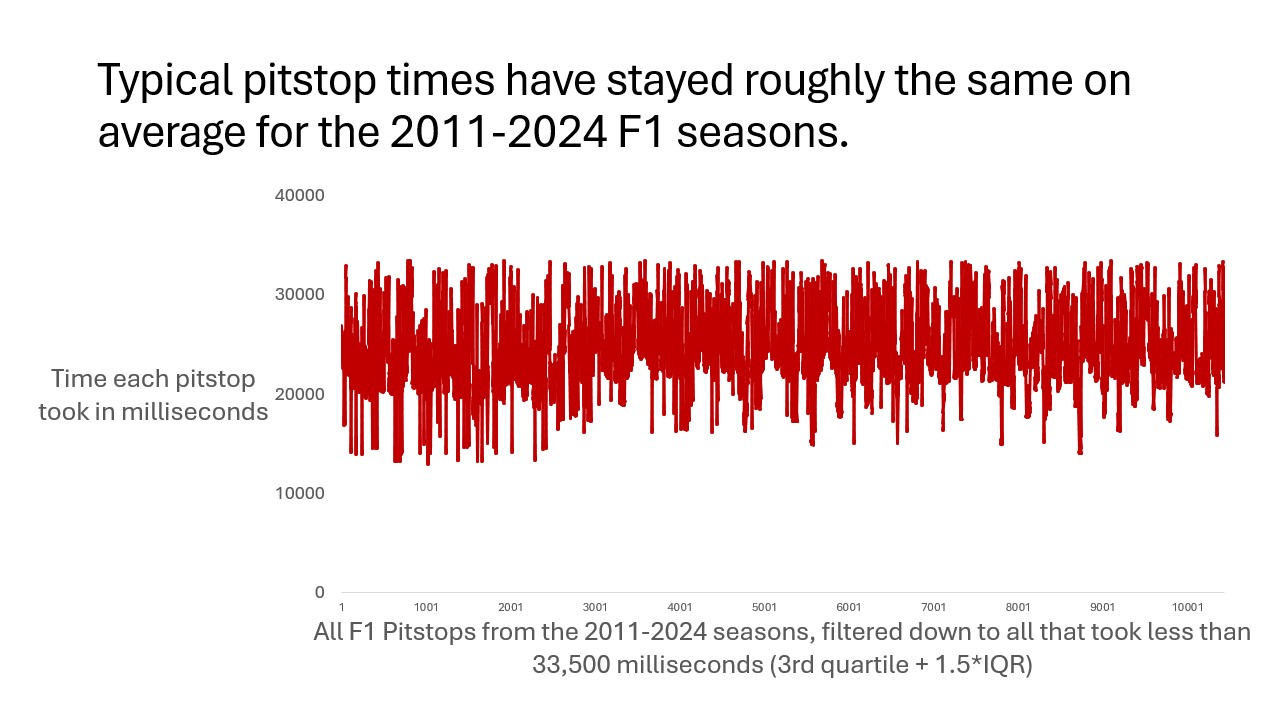
Have F1 pit stop times improved from 2011 through to 2024? We thought this was interesting because as we wanted to see whether in 10 years if pit stops can be even faster than what is already is. We Used the pit_stops dataset and created a line graph of every pitstop, filtering out every outlier by excluding all that lasted longer than Q3+(1.5*IQR) milliseconds. To create the chart we made the line red, removed border, gridlines, and chart title, and added axis titles.

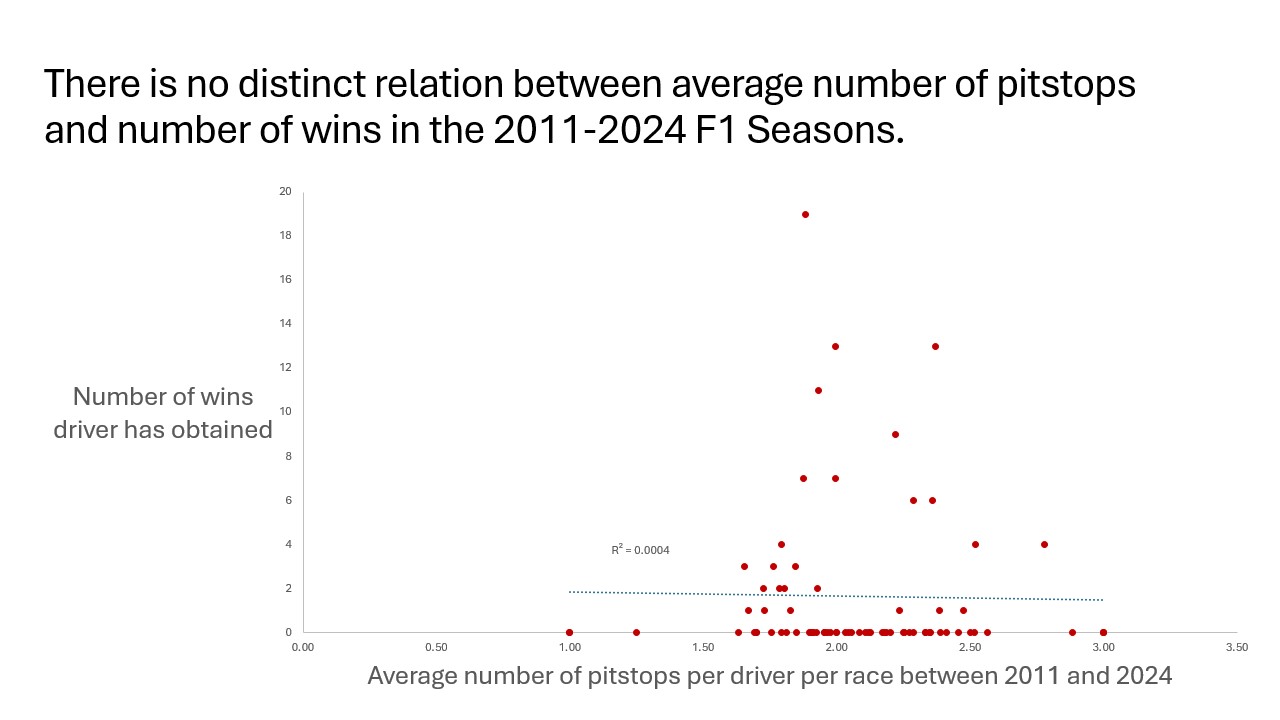
Is there a relation between average number of pit stops and number of wins? This was interesting to us because during a race a pit stop can make or break the race so we wanted to see if there was any correlation. We used a pivot table to collect average pitstops per race for every driver who raced in the 2011-2024 seasons, then found how many wins that driver had in the same seasons, then created the scatter chart based off of that. We created the chart by removing chart title, border, and gridlines, then making the points red, then adding axis titles and trendline/R^2 value.